BudgetPixel: Creating Consistent Characters and Brand Mascots for Marketing
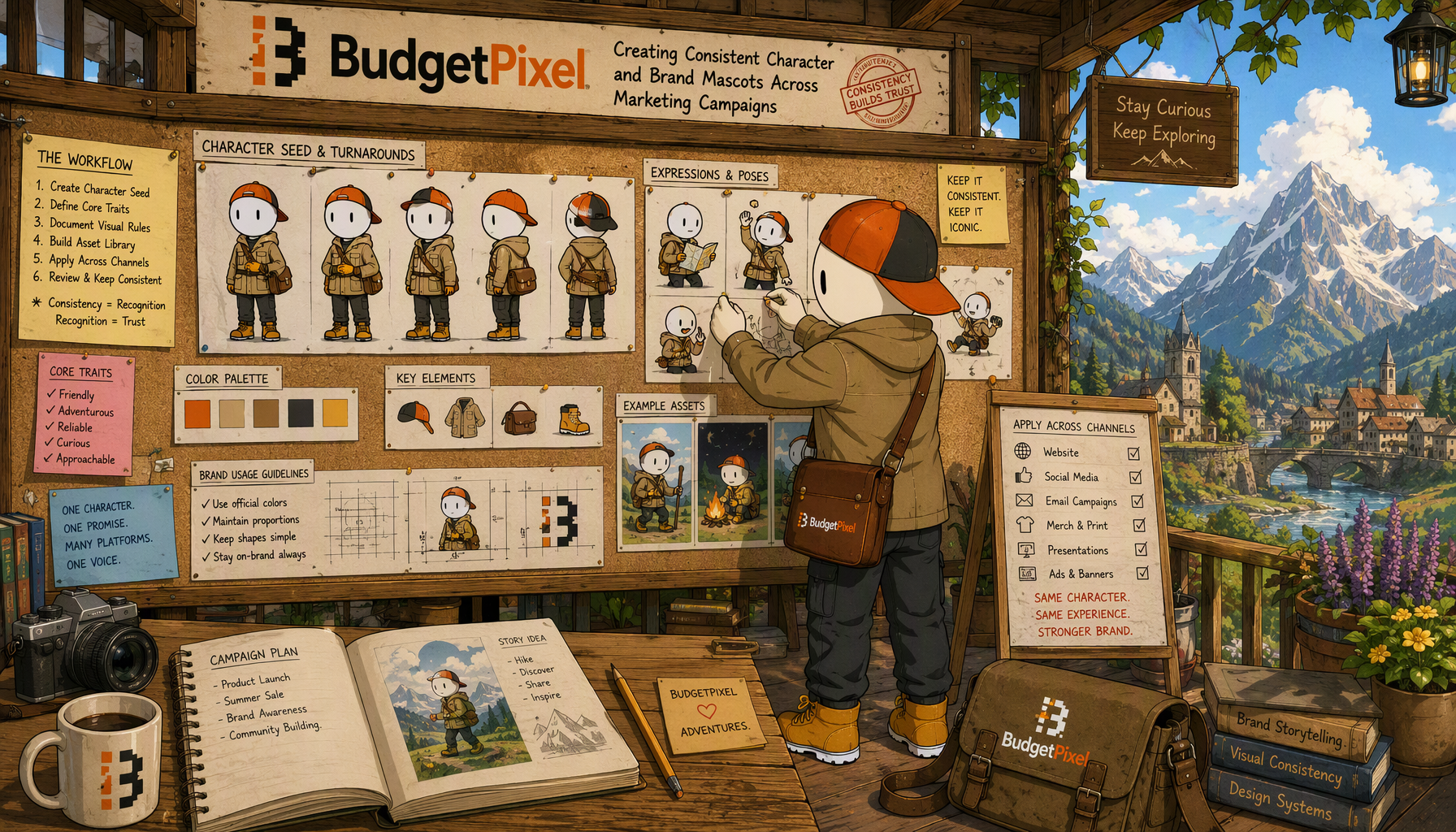
BudgetPixel: Creating Consistent Character and Brand Mascots Across Marketing Campaigns
To keep a mascot recognizable across 20 or more deliverables, establish an approved character reference before producing campaign scenes. Reuse its defining traits, test generation settings systematically, and review every output against the same reference. BudgetPixel’s model catalog can support visual exploration, while its design studio provides a separate place to turn approved imagery into campaign graphics.
Write a character specification
Describe features that must not drift: silhouette, face shape, colors, markings, clothing, accessories, and illustration style. Distinguish fixed identity traits from elements the campaign may change, such as pose, expression, setting, or seasonally appropriate props. Include clear examples of unacceptable changes. “Blue jacket” is less useful than identifying which parts of the jacket are blue and whether its shape is part of the character’s identity.
Create a small reference set with a primary view and any approved variations needed for production. A mascot that works only from one angle may be difficult to use in a broad campaign. Have the brand owner approve the reference set before briefing a full run of assets. Keep text, logos, and other brand elements in the design brief rather than assuming a generated image will reproduce them correctly.
Test continuity before scaling production
Use one campaign brief to test candidate approaches in the BudgetPixel model catalog. Keep the character specification, reference material, intended aspect ratio, and requested pose as consistent as the chosen workflow allows. Compare results for identity preservation, not just visual polish. A compelling illustration that gives the mascot different markings is a failed continuity test.
If a chosen model exposes a seed control, save the seed alongside its model and settings. A seed can help reproduce a particular setup, but it is not a substitute for reference images or review; changing prompts or settings can change the result. If no seed control is available in the workflow you use, rely on the approved references and a written prompt specification instead.
Keep initial tests narrow: a neutral pose, an expressive pose, and one campaign setting can reveal whether the approach is dependable enough to continue. If a model repeatedly changes a defining trait, try a more precise brief or another available model. Do not promise consistency merely because two early outputs look alike.
Plan the campaign as a set of deliverables
Make a list of placements before generating 20 separate illustrations. Group them by shared composition: perhaps a character close-up for profile graphics, a wide scene for banners, and a full-body pose for posters. Approve one representative image per group, then develop the remaining variations. This limits the number of unrelated interpretations introduced during production.
For each asset, specify what changes and what stays fixed. A prompt for a new setting can refer back to the approved silhouette, palette, and clothing while requesting only a different action or background. Review multi-model experiments against one character standard; switching models does not automatically preserve an identity or style. Choose the approach that serves the campaign rather than treating every available model as interchangeable.
Store approved assets and finish the graphics
Maintain a versioned asset library outside the generation step. Store the character specification, approved references, prompts, model and settings records, rejected variants, and final artwork in clearly labeled folders. Name files by campaign, placement, character version, and approval status. This prevents an appealing but unapproved variation from becoming the reference for the next round.
Once a character image passes review, use the BudgetPixel design studio to develop the finished graphic. Design templates can provide a repeatable layout starting point for placements that share typography or brand structure. Review the character again after cropping: a layout can hide a signature accessory or make the silhouette less recognizable even when the source image was correct.
Before release, compare the campaign set side by side for color, anatomy, clothing, and expression. Check each graphic at its intended size, then return any identity drift to the reference-led review process. The deliverable is not just a consistent prompt; it is a collection of approved, recognizable graphics.
Direct Sources
- BudgetPixel model catalog
- BudgetPixel design studio
- BudgetPixel design templates
- BudgetPixel official website
🖼️ Illustration 16:9 — BudgetPixel — BudgetPixel: Creating Consistent Character and Brand Mascots Across Marketing Campaigns standing in an airy wooden pavilion studio, pinning illustrated character study sketches onto a large cork storyboard wall, verifying continuity Message clé : Maintaining character seed fidelity and brand mascot continuity across multi-platform marketing assets
Plan the campaign as a set of deliverables

















































































































































































































